Cori, Tawny’s owner
Photos, care updates and requests for her horse.
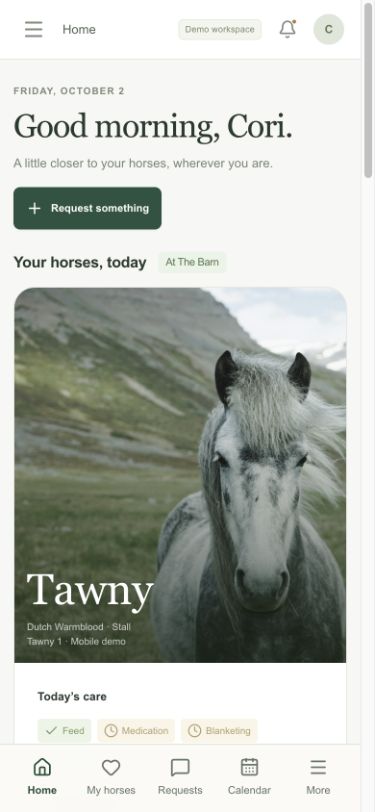
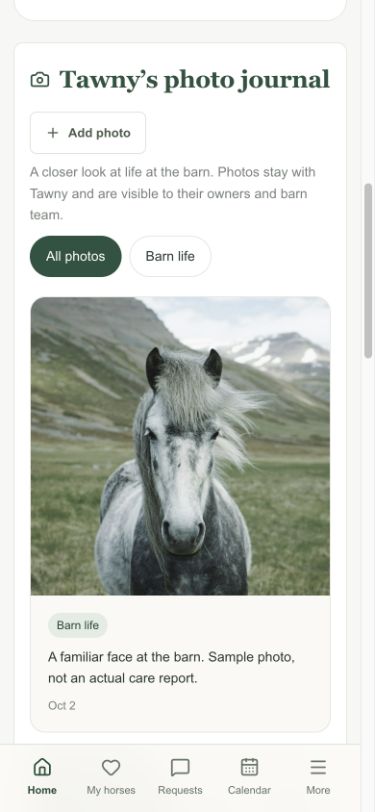
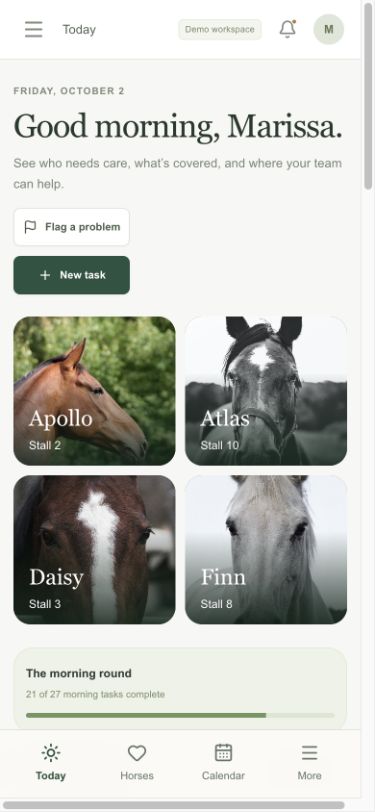
See Cori’s owner view and Marissa’s barn workspace on a phone. Switch to text updates to explore how a request and care update could reach both people.
App screens are captures of the working Andover demo. People, care and photos are sample data. Text messages are a design preview; SMS is not connected and no messages are sent.
Photos, care updates and requests for her horse.
Horse care, team assignments and owner requests.
Install the app for your account. Owners get their horses, photo journals and requests. Barn teams get daily care, assignments and owner requests. Both apps keep the same account permissions.
Get Cinch Owners ↗ Get Cinch Barn Team ↗
In the demo, choose Horse owner or Barn owner in the role menu before opening its install page. These are installable web apps, with a connection required for current records and saving changes.
The owner can review completed care, browse photos and send a request. The barn team can add captioned photos, tag moments and keep the update with the horse.
Available now: private photo uploads, captions, tag filters, care history, owner requests and in-app notifications. Next: opt-in SMS delivery, delivery status and quiet hours. Text replies shown here are a concept, not a live request channel.
Open the working demo ↗